$149.99Original price was: $149.99.$129.99Current price is: $129.99.
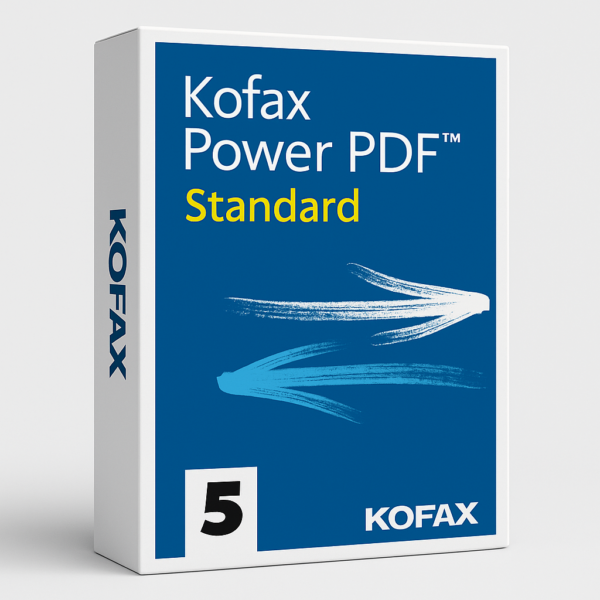
Kofax Power PDF Standard – Professional PDF Software for Home & Office
Create, edit, convert, and sign PDFs with Kofax Power PDF Standard — a reliable, full-featured PDF editor with a one-time purchase and no subscription fees.
Key Features:
Fast, accurate PDF creation from any document, webpage, or scanner
Industry-leading OCR with searchable, editable text conversion
Convert PDFs to and from Word, Excel, and PowerPoint with accurate formatting
Self-signed digital signatures for quick approvals
Cloud collaboration (OneDrive, Google Drive, Dropbox, Box)
Password protection, permission controls & fillable form creation (FormTyper)
Browser extensions for Chrome & Edge, plus mobile-friendly tools
Save hundreds over Adobe Acrobat while getting the everyday PDF tools individuals, students, and small businesses rely on — own it once, use it for life.
Kofax Power PDF Standard – The Reliable PDF Editor Built for Everyday Work
Kofax Power PDF Standard is the complete PDF solution for individuals, students, and small businesses who need professional PDF tools without the ongoing cost of Adobe Acrobat. With one simple, one-time purchase, you get permanent software ownership and full access to essential PDF creation, editing, security, and collaboration tools — with zero recurring subscription fees.
Why Choose Kofax Power PDF Standard?
If you work with PDFs regularly, you already know how quickly Adobe Acrobat subscription costs add up. Kofax Power PDF Standard delivers the everyday features you actually use — OCR, conversion, digital signatures, cloud sync, and more — at a fraction of the price. Own it once, use it for years, and skip the monthly fees entirely.
Powerful PDF Creation & Conversion
Create PDFs from any document, webpage, or scanner in seconds. Convert PDFs to and from Microsoft Word, Excel, and PowerPoint with accurate formatting, and rely on industry-leading OCR to turn scanned documents into searchable, editable text while preserving original fonts and layout.
Intuitive PDF Editing Tools
Edit text and images directly inside your PDFs as easily as a word processor. Merge multiple files into a single organized PDF, rearrange or delete pages with simple drag-and-drop, and use advanced fuzzy search to locate content instantly — even with typos or word-order variations.
Everyday Security & Privacy
Protect your documents with encrypted passwords and custom permission controls, and inspect and remove hidden comments or private metadata before sharing files — giving you confidence every time you send a PDF.
Seamless Collaboration & E-Signatures
Sync seamlessly with OneDrive, Dropbox, Box, and Google Drive to keep your files accessible everywhere. Apply self-signed digital signatures for quick approvals, and open or create PDFs directly from Chrome and Edge with built-in browser extensions.
Smart Forms & Mobile Access
Automatically transform static PDFs into fillable, interactive forms with FormTyper. Read, annotate, fill out forms, and handwrite signatures on the go with mobile-friendly tools — perfect for working from anywhere.
Built for Everyday Use
Includes enhanced accessibility compliance features so your documents are usable by everyone, plus a familiar Office-style interface that makes PDF editing feel as easy as using Word.
Trusted Across Everyday Use Cases
Students & Educators – Easily convert, annotate, and organize coursework and research
Home Offices & Freelancers – Create and sign contracts, invoices, and proposals
Small Businesses – Cost-effective document standardization and client paperwork
Remote Teams – Cloud sync and mobile access for working from anywhere
Everyday Users – A simple Adobe alternative for creating, editing, and sharing PDFs
System Requirements
Compatible with Windows 8.1, 10, and 11 (32-bit and 64-bit), and integrates with Microsoft Office, OneDrive, Google Drive, Dropbox, Box, and Chrome/Edge browser extensions.
One purchase. Lifetime ownership. Professional PDF tools without the subscription price tag.
Reviews
There are no reviews yet.
Be the first to review “Kofax Power PDF Standard 5 for Windows”Cancel Reply


Reviews
There are no reviews yet.