Kofax Power PDF – Secure & Reliable PDF Editor for Windows & Mac
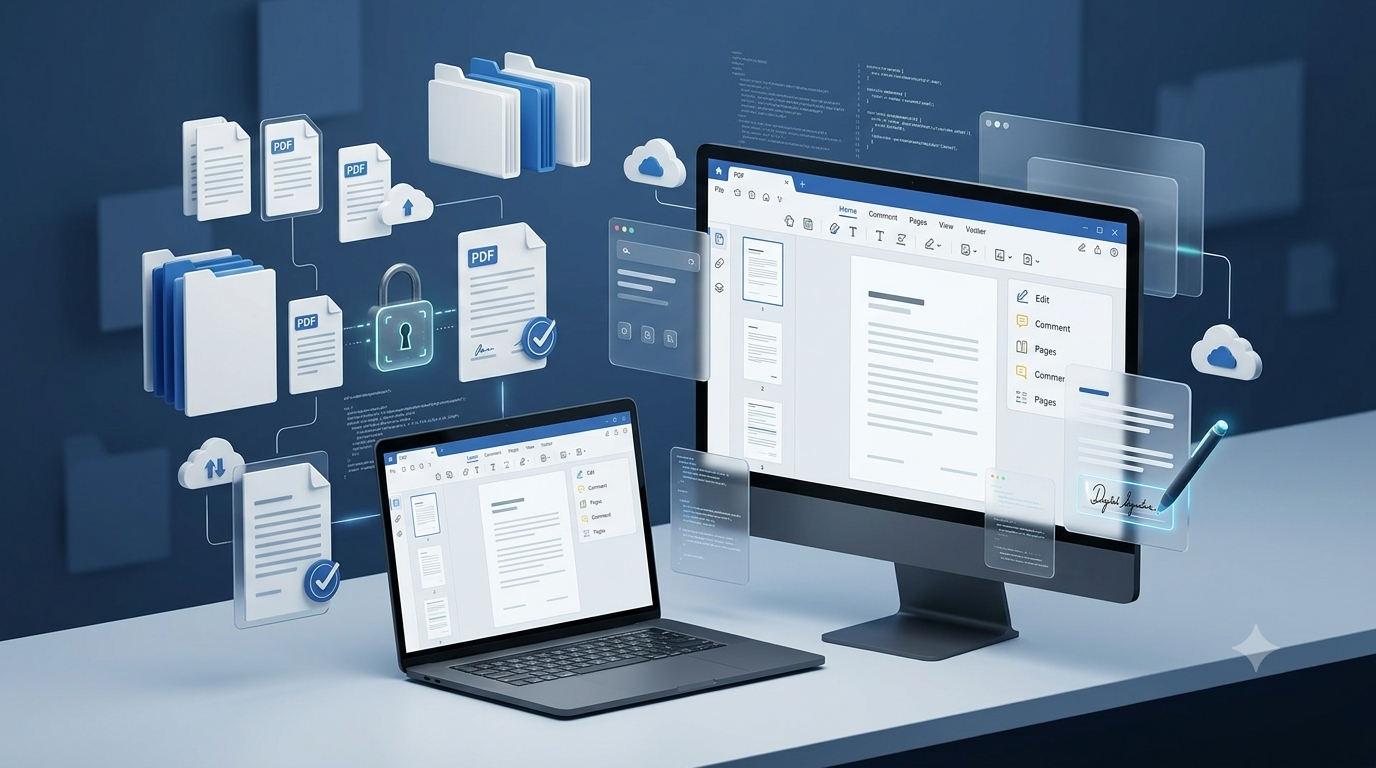
Create, edit, convert, share, and e-sign documents with Kofax Power PDF — the trusted PDF editor used by millions worldwide. Whether you’re an individual or a business, Power PDF gives you full control over your documents with speed, accuracy, and security.
Compatible with both Windows and Mac, Kofax PDF software streamlines your entire document workflow in one easy-to-use tool.
Download, activate, and start using Kofax Power PDF instantly with fast, secure digital delivery.
Get Kofax Power PDF Advanced at an unbeatable price — advanced security, redaction, and compliance tools for professionals. Limited-time offer, don’t miss out!
Kofax Power PDF – Professional PDF Editor, Trusted Worldwide
Trusted by over 15 million users, Kofax Power PDF is an award-winning PDF editor for professionals who want powerful tools without costly subscriptions.
Its familiar Office-style interface makes it easy to create, combine, and convert PDFs in minutes. For added security, redaction, and compliance, Kofax Power PDF Advanced is ideal for legal, healthcare, and enterprise use.
Looking for a reliable Adobe alternative? Kofax PDF software delivers professional results at a one-time cost — no subscriptions required.
Why Choose Kofax Power PDF?
Kofax Power PDF Advanced takes it further with enterprise-grade tools, including Bates stamping, Active Directory protection, and Kofax SignDoc integration, plus advanced compliance and accessibility features for regulated industries.
Create PDFs from Word, Excel, PowerPoint, images, and scanned documents
Convert PDFs into fully editable Word, Excel, and PowerPoint files
OCR technology transforms scanned files into searchable, editable text
Secure your documents with passwords, encryption, and permission controls
Create, apply, and manage digital signatures with ease
Redact sensitive text and graphics (available in Power PDF Advanced)
Seamless cloud integration with OneDrive, Google Drive, Dropbox, and Box
Kofax PaperPort – Smart Document Management Software for Windows
Kofax PaperPort is a powerful document management solution built to help users scan, organize, and access files with ease. Part of the trusted Kofax software family, PaperPort converts paper documents, scans, and PDFs into searchable digital files — saving time and boosting productivity.
Available in Standard and Professional editions, Kofax PaperPort lets you quickly scan documents, convert images into editable text with advanced OCR, and manage everything from an intuitive, organized workspace. Whether you’re working from home or handling office files, PaperPort by Kofax makes everyday document management simple and efficient.
Why Choose Kofax Power PDF?
Scan documents directly from compatible scanners with ease
Convert paper and images into searchable PDFs using built-in OCR
Combine multiple documents into a single, organized PDF
Stay organized with folders, tags, and visual thumbnails
Find files instantly with fast, keyword-based search
Seamless integration with popular scanners and printers
Reliable, trusted performance backed by Kofax software
Highlights
Power PDF Standard
Power PDF Standard for Mac
Power PDF Advanced
Create PDFs from any document, web page, or directly from your scanner
Merge multiple files into a single PDF
Convert PDF to and from Microsoft Word, Excel, PowerPoint
Automatically convert a PDF file into a fillable PDF form
Proofread and correct text after OCR conversion to searchable PDF
Add secure encrypted passwords and permissions to PDF files
Create and apply self-sign digital signatures
Add, manage, view and navigate document digital signatures
Browser extension for Chrome and Edge to open and create PDFs
Proximal ‘fuzzy search’ to find more results in typos, word orders, etc.
Inspect document to remove comments and private metadata
Mobile solutions to read and annotate PDF, fill out forms, handwrite and sign signatures
Native cloud integration with Microsoft OneDrive, Dropbox, Box and Google Drive cloud storage
Enhanced features for adherence to accessibility standards for people with disabilities
Redact text and graphics from PDF files
Bates stamping with advanced formatting and page positioning
Server add-on for the iManage 10 Web Client
View protected PDF files & apply protection to PDF docs using Microsoft Active Directory or Microsoft Azure Rights Management Services (RMS)
Enhanced integration with Kofax SignDoc (separate purchase required)
OS Compatibility
Microsoft Windows 8.1, 10, & 11 (32-bit and 64-bit editions)
MacOS 10.14 through 12 Monterey
Microsoft Windows 8.1, 10, & 11 (32-bit and 64-bit editions)
Our Happy Clients!
Trusted by professionals and businesses worldwide.
“Kofax Power PDF has completely streamlined our document workflow. It’s fast, secure, and incredibly easy to use.”
Jason Wong
“Switching to Kofax saved us thousands in subscription costs while giving us all the PDF tools we need.”
Jack Nelson
“The OCR accuracy and document security features make Kofax Power PDF indispensable for our daily operations.”
Michael Owen
Frequently Asked Questions
1. What is Kofax Power PDF?
Kofax Power PDF is a professional PDF editor that lets you create, edit, convert, secure, and e-sign PDF documents using a familiar, Office-style interface.
2. Is Kofax Power PDF a one-time purchase?
Yes. Kofax Power PDF is available as a one-time purchase with no recurring subscription fees, unlike many other PDF editors.
3. Does Kofax Power PDF work on Windows 10/11?
Yes, Kofax Power PDF is fully compatible with Windows 10 and Windows 11.
4. Can I convert PDFs to Word or Excel?
Absolutely. Kofax Power PDF allows you to convert PDF files into fully editable Word and Excel documents quickly and accurately.
5. Which version is best for me?
Power PDF Standard suits everyday personal or business use, while Power PDF Advanced is ideal for professionals needing enhanced security, redaction, and compliance features.
6. Can Kofax PaperPort Standard 14 work with any scanner?
PaperPort Standard 14 supports a wide range of compatible scanners, making it easy to digitize documents directly into the software.
7. Does PaperPort Standard 14 allow me to combine multiple documents?
Yes, you can easily merge multiple files into a single, organized PDF using PaperPort Standard 14.
8. Can I convert images or scanned files into editable text?
Yes, PaperPort uses built-in OCR technology to convert scanned images and documents into searchable, editable text.